CSE15L Tutorial
By Angelia
Hello everyone, let’s get starting with CSE15L today!
Part 1 Install Visual Studio Code
- Go to Visual Studio Code website.
- Follow the instruction to download and install the application on your computer.
- important: There are versions for all the major operating systems, like OSX (for Macs) and Windows (for PCs). Please make sure the version you download matching your computer.
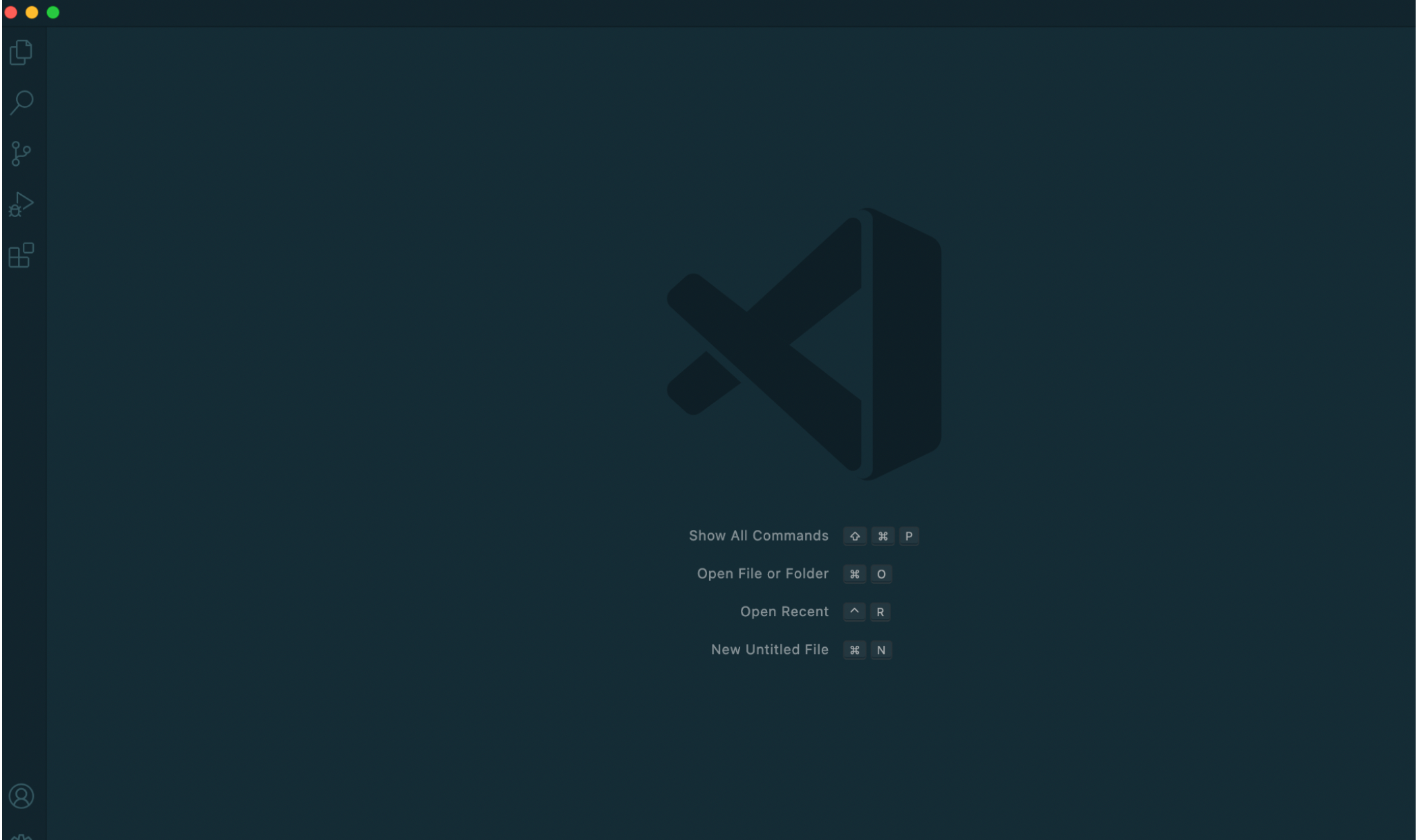
- After installing, you should be able to open te window like this(there might be a little different on its appearance, dipending on your system and setting.)
Part 2 Connect to a Remote Host
- Follow the instruction How-to-Reset-your-Password.pdf to activate your CSE15L server account.
- For windows users,
install OpenSSHon your computer before starting. - Then start to connect to a remote host:
- Open a terminal in VSCode.
- Do the command like this:
$ ssh cs15lsp22app@ieng6.ucsd.edu
replace “app” with your special-course account.
- You will probably recieve a message like this:
⤇ ssh cs15lsp22app@ieng6.ucsd.edu

The authenticity of host 'ieng6.ucsd.edu (128.54.70.227)' can't be established.

RSA key fingerprint is
SHA256:ksruYwhnYH+sySHnHAtLUHngrPEyZTDl/1x99wUQcec.

Are you sure you want to continue connecting (yes/no/[fingerprint])?
Type yes and press enter.
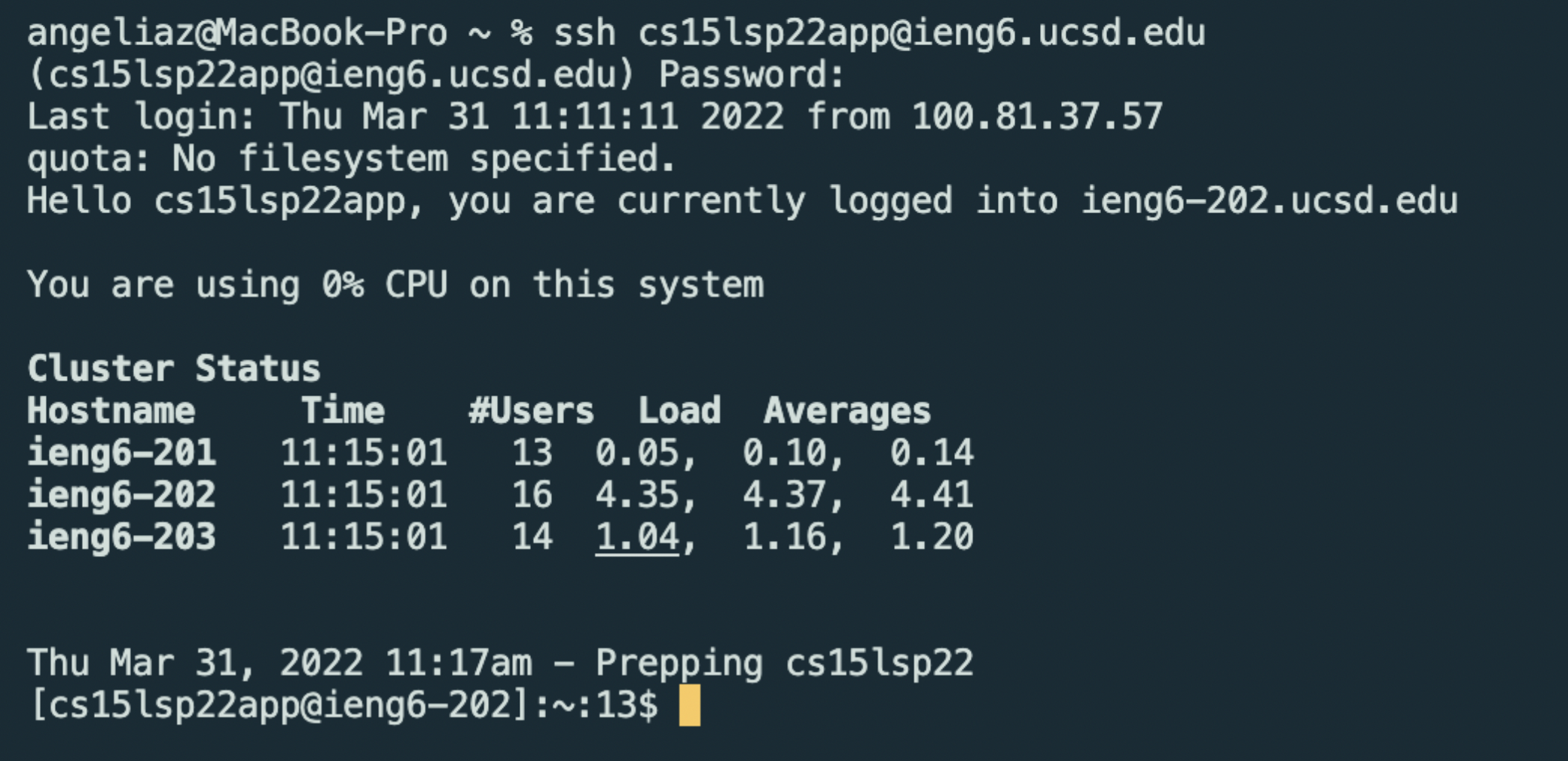
- Put in your password as required. You will have a view like this:
Part 3 Run Some Commands
Now you are connecting with the remote host if you have finished every step.
Let’s try some commands:
-
$ cd(change direction) -
$ ls -lat(list all files)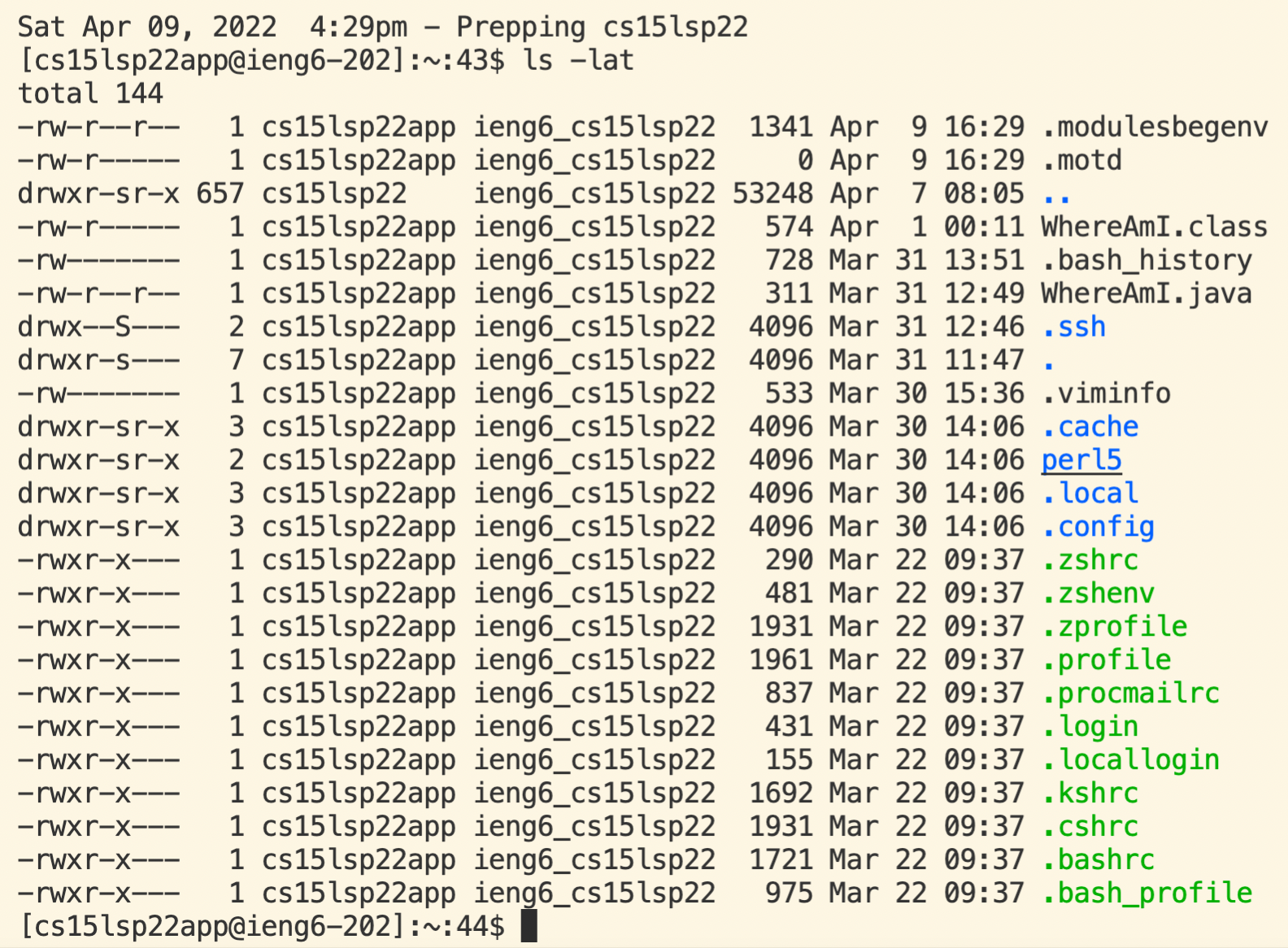
-
$ ls <directory>where<directory>is/home/linux/ieng6/cs15lsp22/cs15lsp22abc, where the abc is one of the other group members’ username.
-
$ cp(copy)
-
$ cat(create or view a file)
-
Ctrl+D (exit)
Part 4 Moving Files Over SSH with scp
-
scp: copy a file (or many files!) from your computer to a remote computer -
Create a file called
WhereAmI.javaon your computer.
Content of WhereAmI.java:
class WhereAmI {
  public static void main(String[] args) {
    System.out.println(System.getProperty("os.name"));
    System.out.println(System.getProperty("user.name"));
    System.out.println(System.getProperty("user.home"));
    System.out.println(System.getProperty("user.dir"));
  }
}
$ scp WhereAmI.java cs15lsp22app@ieng6.ucsd.edu:~/
Operate this step with the special-course account which you are logging.
- Do
javac WhereAmI.javaandjava WhereAmIto run the file and then you will get this: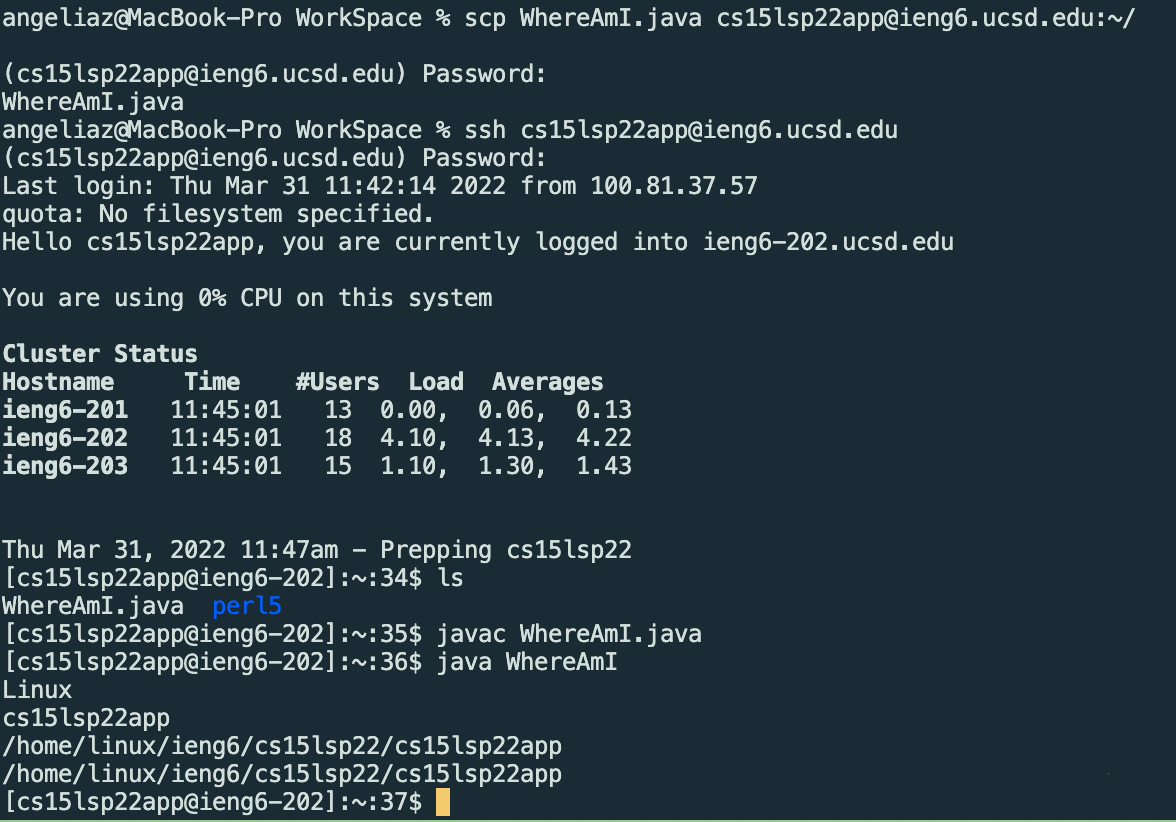 The result of
 WhereAmI.javashows that the location of the file is the remote computer you are logging.
Part 5 Setting an SSH Key
- Run the followinng commands in your terminal after logging out of the remote:
# on client (your computer) (or log out the remote)
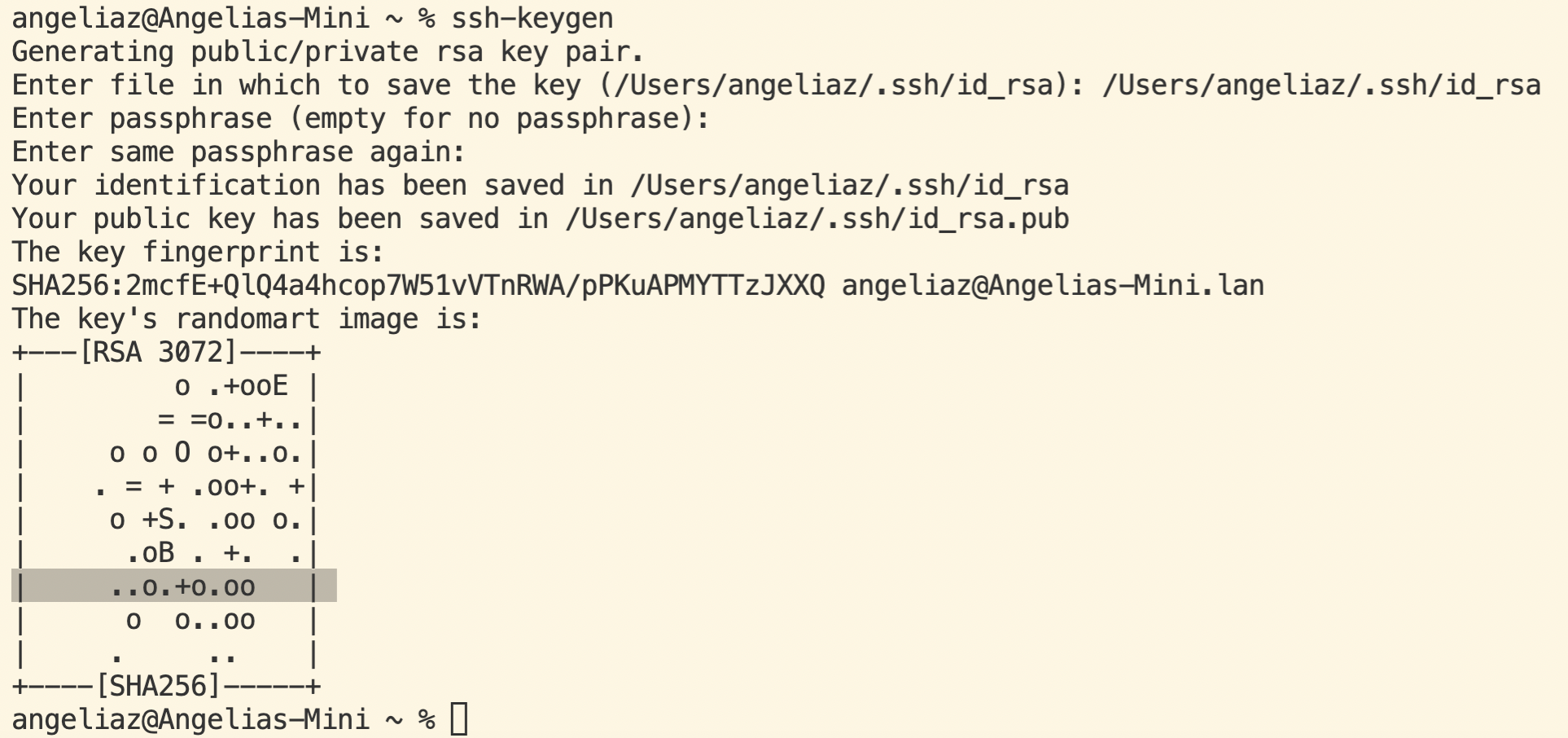
$ ssh-keygen

Generating public/private rsa key pair.

Enter file in which to save the key (/Users/angeliaz/.ssh/id_rsa): /Users/angeliaz/.ssh/id_rsa (`<user-name>`should be the name of your computer).

Enter passphrase (empty for no passphrase): (Do not type anything and press `enter` directly)

Enter same passphrase again: (Press `enter` directly)

Your identification has been saved in /Users/angeliaz/.ssh/id_rsa

Your public key has been saved in /Users/angeliaz/.ssh/id_rsa.pub

The key fingerprint is:

SHA256:2mcfE+QlQ4a4hcop7W51vVTnRWA/pPKuAPMYTTzJXXQ angeliaz@Angelias-Mini.lan
The key’s randomart image is:
+---[RSA 3072]----+

|         o .+ooE |

|        = =o..+..|

|     o o O o+..o.|

|    . = + .oo+. +|

|      o S = *.B. |

|       = = O.*.*+|

|     ..o.+o.oo   |

|           +.+.o |

|             ..  |

+----[SHA256]-----+
You may have a picture like this:
- Now we need to copy the public key to
.sshdirectory of your user account on the server.
$ ssh cs15lsp22app@ieng6.ucsd.edu (log in you course account)

<Enter Password> (now on server)

$ mkdir .ssh (mkdir: make directory)

$ <logout> (back on client)

$ scp /Users/angeliaz/.ssh/id_rsa.pub cs15lsp22app@ieng6.ucsd.edu:~/.ssh/authorized_keys

Part 6 Optimizing Remote Running
Now log out the remote server and do:
-
$ cp WhereAmI.java OtherMain.java; javac OtherMain.java; java WhereAmI -
$ ssh cs15lsp22app@ieng6.ucsd.edu "ls"
-
$ scp WhereAmI.java cs15lsp22app@ieng6.ucsd.edu:~/ -
$ ssh cs15(sp22app@ieng6.ucsd.edu "javac WhereAmI.java; iava WhereAmI"
Here’s some examples when you run the commands above.
Now you can run several commands in one line, and operate files on the remote server without log-in and putting in password.

Save you time!
-The End-
-Thank you!-